Since 2008
Based in Belgium and France
+ 60 000 clients
Our blog
A.S.S.
Shopping Cart
Systèmes all-in-one (Zendure, EcoFlow, Bluetti, Marstek) vs modulaires (Deye, Victron + Pylontech) : comparatif...
Guide complet sur les disjoncteurs électriques : calibre, courbes B/C/D, sections de câbles, dimensionnement AC/DC...
A reversible heat pump with underfloor heating consumes 2,000-5,000 kWh/year: discover why upgrading your...
Master Pylontech log recovery with Battery View and the official DC balancing procedure to optimize your US2000,...
A complete technical guide to connecting a genset to a hybrid inverter: rigoroussizing ,secure cabling ,...
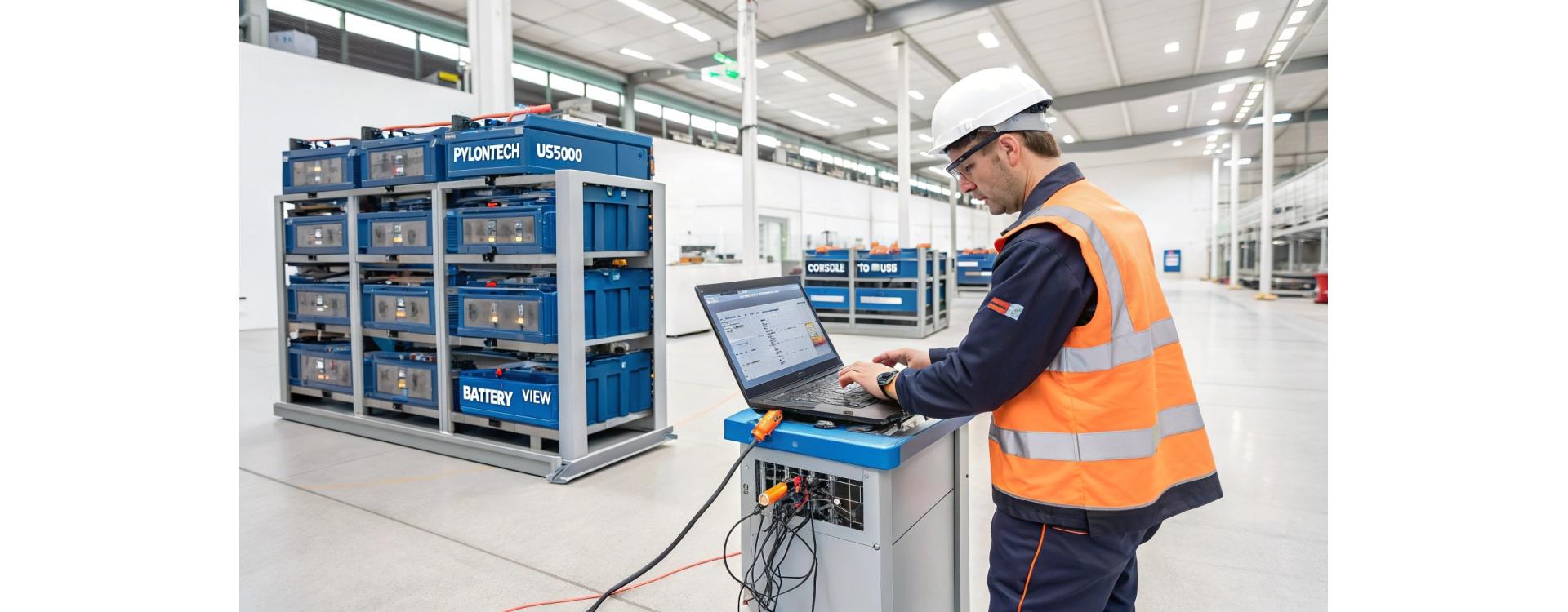
When a problem occurs with a Pylontech battery (US2000C, US3000C, US5000 or Force L/H), retrieving the log files is the first mandatory step in any professional diagnosis. These operating logs contain the complete history of voltages, currents, cycles and alarm events, enabling the precise nature of the fault to be identified.
Since October 2025, Pylontech has tightened its requirements for warranty claims: without usable logs and a complete form, your claim may be refused or delayed for several weeks. This guide details the official procedure for recovering logs via Battery View, the DC balancing method recommended by the manufacturer, and the best diagnostic practices that every professional should master.
✅ For US2000C / US3000C / US5000 : 📋 Order the C series / US5000 cable
✅ For US2000 / US2000+ / U3000 (older versions) : 📋 Order the classic serial cable
To correctly extract the logs from your Pylontech batteries, you will need :
⚠️ Please note: The recovery cable is NOT just a standard RS232 cable. It is a specific adapter with logic level conversion. Wattuneed offers 2 models depending on your battery series: - Cable for US2000C / US3000C / US5000:→ Order the US2000C/US3000C/US5000 cable - Cable for US2000 / US2000+ / U3000 (older versions):→ Order US2000/US2000+/U3000 cable
💡 Need the right cable?
C Series and US5000: USB Console cableOlder series (US2000/US2000+/U3000): Classic USB Console cable
Log files contain essential diagnostic data:
In the example of logs provided (US2000C series HPTCR03261A32603), we observe :
Probable diagnosis: Cell #8 has a significant loss of capacity (accelerated ageing or internal fault). Passive balancing by the BMS is no longer sufficient to compensate for the difference. This cell requires either forced DC balancing or replacement if the discrepancy persists after balancing.
Balancing is the process of equalizing the voltages of all the cells in a lithium battery. Over the course of cycles, voltage differences are naturally created between cells as a result of :
An imbalance of more than 100 mV between cells leads to :
Passive balancing vs. active balancing: Pylontech BMSs use passive balancing (dissipation by resistors) limited to ~0.3A per cell. For large imbalances (>200 mV), DC balancing with an external charger (active method) is required.
Professional DC charger 53V 15A for Pylontech batteries
For US2000/US3000/US5000 (48V series):
For Force L: Make a temporary short circuit on the communication ports (see Pylontech DC Charger SOP documentation page 6) to allow direct charging without an active BMS.
For Force H (H1/H2/H3): The module must be placed on its base, with the specific Force H connector connected. 8 AWG or 10 AWG cables must be used.
This phase is used to bring all the cells to a sufficient level of charge before fine balancing.
Procedure:
This reduced-current phase allows the BMS to begin passive balancing.
Typical duration: 1 to 3 hours. The current decreases more slowly than in the previous stage.
This is the critical phase when balancing actually takes place. The very low current (0.3 A) enables the BMS to balance the high cells without overloading the low cells.
Monitoring balancing :
Professional tip: If after 12 hours of balancing at 0.3A the difference remains >50 mV, this indicates a faulty cell requiring replacement. Never exceed 12 consecutive hours without a break.
If a Pylontech battery remains stored without use for more than 6 months, it must be recharged to ≥90% SOC to avoid:
Every year after installation, check :
Pylontech logs use standardized event codes:
Analysing the logs provided (HPTCR03261A32603), we identify :
Detailed analysis of cell #8 :
ID BVolt BTempr BVolt.St BTemp.St SOC 9 2922 17000 Low Normal 0% ← PROBLEM CELL 9 3601 28500 High Normal 21% ← Abnormal peak on load 9 3650 28700 OV Normal 25% ← OV protection triggered
Diagnostic conclusions:
Recommendation: Attempt DC balancing in 3 stages. If after balancing the difference remains >100 mV, replace the battery under warranty (proven material fault, not related to use).
Since October 2025, Pylontech requires a complete file including :
Once the complete file is sent to Pylontech (via Wattuneed or directly) :
⚠️ Critical Point: If the logs show repeated overloads (pack voltages >54V for nominal 48V), Pylontech will refuse the warranty and will attribute the fault to incorrect inverter settings. Hence the importance of checking the settings BEFORE submitting a claim.
Wattuneed offers a free support service for Pylontech warranty claims:
💡 Need help with your diagnosis? Contact our Wattuneed technical support
Customer service available Monday to Friday 9am-6pm. We will analyse your logs free of charge.
Answer: In normal operation, an annual extraction is sufficient (during the maintenance check). In the event of abnormal symptoms (frequent alarms, reduced capacity), extract the logs immediately for diagnosis. The logs are overwritten after 1800 recordings (limited history).
Answer: No. The Console port on Pylontech batteries requires a cable with specific logic level conversion. A standard RS232 cable will not work and could damage the BMS. Use only the official cables available from Wattuneed for your model.
Answer: No, if you strictly respect the voltages and currents indicated in the Pylontech documentation. DC balancing is an official procedure recommended by the manufacturer. Warning: never exceed 56V for a 48V nominal battery, and limit the current to 5A maximum.
Answer: The OV alarm is triggered at individual cell level (threshold 3.65V), not at pack level. If one cell is unbalanced (higher than the others), it will reach 3.65V while the pack is only at 52-53V. Solution: complete DC balancing.
Answer: Allow between 4 and 12 hours for complete balancing (3 stages). The duration depends on the initial imbalance. A 50 mV imbalance takes ~2h, a 300 mV imbalance can take 8-10h. Never exceed 12 consecutive hours at 0.3A.
Answer: Yes, Pylontech 48V batteries are compatible with each other, but in order of priority: US5000 > UP5000 / US3000C / US2000C > US3000 / US2000. The US5000 battery must be the master (Link Port 0 empty). Always mention this mix in the warranty form.
All product and resource links mentioned in this article have been verified:
Wattuneed SPRL | Expert in photovoltaic and battery storage solutions in BelgiumFor technical assistance, contact our team via support.wattuneed.comFind all our guides on our photovoltaic blog
check_circle
This store asks you to accept cookies for performance, social media and advertising purposes. Social media and advertising cookies of third parties are used to offer you social media functionalities and personalized ads. Do you accept these cookies and the processing of personal data involved?