
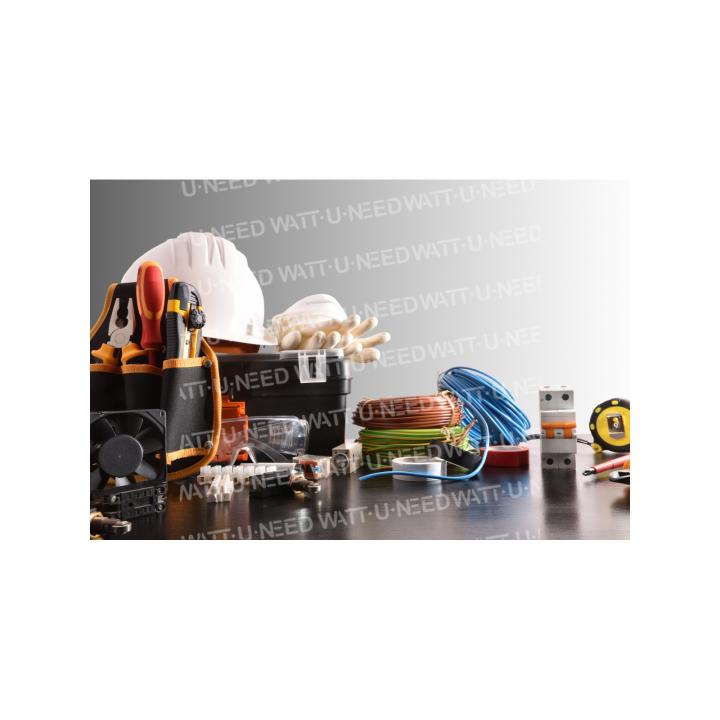
Package including all types of small equipment (tubes, fa

Small equipment package (tubes, fasteners, etc.) in Belgium

£143.13
Tax included
forfait-materiel-Belgique
0768563818318

Administrative management package for any installation without battery by one of our local partners.

Administrative management package Consuel installation without battery by one of our local partners who will take care of filling out the necessary documentation for the Consuel. 


Attention Wattuneed will send your file to our partners once it is complete.

We ask you:

Photos places where our products will be installed (electrical box, cable passage, location of the inverter, electrical diagram if any)

Once we have analyzed these documents, we will forward your file to our partners who will contact you.

forfait-materiel-Belgique

Specific References

UPC
768563818318
EAN13
0768563818318
New
MCU Update Procedure for Inverters - Corrected Version

MCU Update Procedure for Inverters

Professional Version - Technical Document

Introduction

This document details the complete procedure for performing a Microcontroller (MCU) update on inverters. This operation is essential to maintain optimal equipment performance and integrate the latest software improvements.

A correctly performed update ensures proper inverter operation and extends its lifespan. It is crucial to follow this procedure step by step to avoid any malfunction.

Safety Warnings

CRITICAL ATTENTION

An interrupted update can render the inverter unusable.

Do not disconnect power from the computer or inverter during the procedure.

Avoid putting the computer to sleep during the update.

Ensure your computer battery is sufficiently charged or the computer is plugged into mains power.

Back up all important data before starting the procedure.

Prerequisites

Required Hardware

A computer with an available USB port
USB to RS232 cable provided by us
RS232 to RJ45 cable provided with the inverter
The inverter to be updated
Update files (MCU and DSP) previously extracted

Required Software

"Remote Panel Reflashtool" software installed
Update files decompressed and ready to use
Initial Configuration

Preliminary Checks

Ensure that the update files have been extracted from their compressed archive
Disable automatic sleep mode on your computer to avoid any interruption
Detailed Procedure

1 Inverter Preparation

Stop certain inverter functions:

Completely disable the inverter output
Stop photovoltaic panel (PV) power supply
Keep battery and grid power active to allow communication

Check inverter status:

Ensure the inverter screen is on and functional
Verify that no critical alarms are active

2 Computer to Inverter Connection

Connect the USB cable to the computer:

Use an available and functional USB port
Wait for the operating system to detect the new device

Identify the assigned COM port:

Open Windows Device Manager
Expand the "Ports (COM & LPT)" section
Note the COM port number assigned to the newly connected device
This number will be needed for the update software configuration

Connect the other end of the cable (RJ45) to the inverter COM port:

Ensure the connection is firm and secure
Verify that the inverter recognizes the connection (usually indicated by a light or screen message)

3 MCU Update

Launch the update software:

Run the "Remote Panel Reflashtool" application
Wait for the main interface to display completely

Software configuration:

Select the previously identified COM port in the software settings
Verify that the communication speed is correctly configured (usually automatic)

Update initiation:

Click the "Update MCU" button in the software interface
Select the previously extracted MCU update file
Confirm your selection to start the process

Update monitoring:

Observe the update progress on the computer screen
Do not touch any equipment during this phase
Ensure the computer does not go to sleep
Typical update duration is 5 to 15 minutes depending on the inverter model

MCU update completion:

Wait for the confirmation message indicating the update is complete
Click "EXIT" in the software to properly close the update session

4 DSP Update (if necessary)

Preparation for DSP update:

Keep the inverter and computer connected
Ensure the inverter is still properly powered

DSP update procedure:

Restart the "Remote Panel Reflashtool" application if it was closed
Follow a similar procedure to the MCU, but select the DSP update file
Follow the on-screen instructions to complete this second update
Post-Update Verification

Version Control

Check in the inverter menu that the new firmware version is properly installed
Confirm that the update date matches the operation you just performed

Functional Test

Progressively reactivate all inverter functions
Verify that the inverter output works correctly
Reactivate photovoltaic panel power supply
Observe operation for several minutes to ensure stability
Common Troubleshooting

Inverter does not detect the connection

Check that the cable is properly connected on both sides
Try another USB port on the computer
Restart the inverter and computer

Update failure

Note the displayed error code
Verify that you are using the correct update files for your inverter model
Contact technical support providing the error code

Computer does not recognize the device

Install or reinstall the necessary drivers
Try another USB cable if available
Check in device manager if the device appears with an exclamation mark
Glossary

MCU

Microcontroller, the main "brain" of the inverter

DSP

Digital Signal Processor, processor specialized for signal processing

COM Port

Serial communication port used for connection between computer and inverter

RS232

Serial communication standard for data transmission

Technical Support Contact

In case of persistent difficulty or technical questions, our support team is at your disposal:

Please have your exact inverter model and any error codes available when contacting us.

Technical Document - Inverter MCU Update | Corrected Version

Follow this procedure carefully to ensure proper equipment operation

Small equipment package (tubes, fasteners, etc.) in Belgium — Tools and accessories

Small equipment package (tubes, fasteners, etc.) in Belgium is available in our Tools and accessories catalog. Reference: forfait-materiel-Belgique.
Loading...